
August brought a solid update to your account. Three things worth trying.
Balance reconciliation act
The “Balance” section now has a second tab — “Reconciliation”. It is a table of every money movement over a chosen period: top-ups, order payments, refunds, adjustments.
It opens on the current month by default, but you can set any period — even from the day you started working with us.
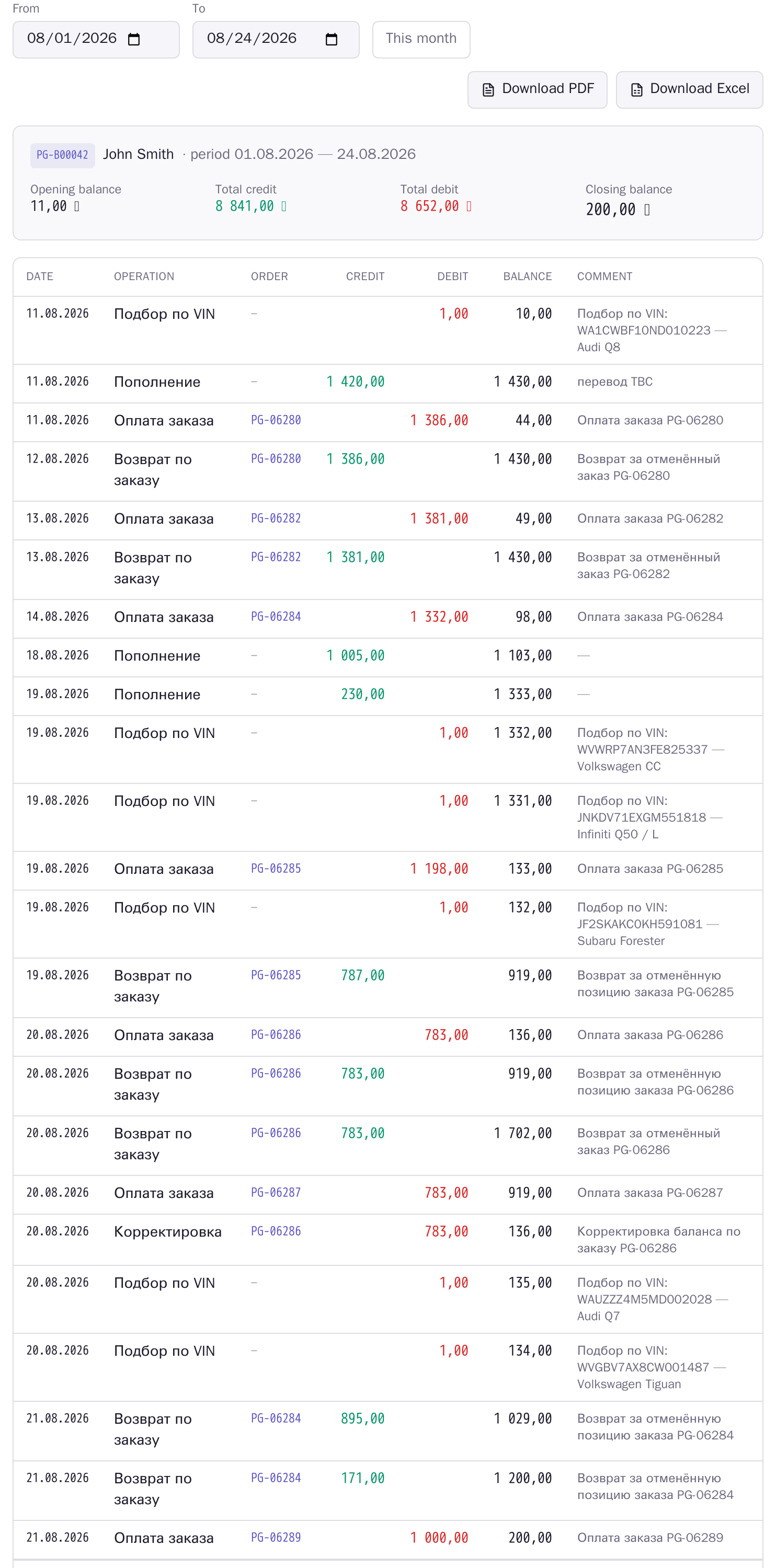
The summary at the top shows what matters: opening balance, total credit, total debit, closing balance. In the table every operation gets its own row with the date, order number (clickable), credit, debit and the balance after that operation.
Two buttons export it: PDF — an official document with our company details and a signature line, suitable for accounting; Excel — the same table, but with amounts and dates as regular cells so you can sort and total them.
The document comes in the language you use the site in.
Expanded order list
An “Expand all” button appeared above the order list. The regular list shows one order per row; the expanded one shows every position as its own row, across all orders.
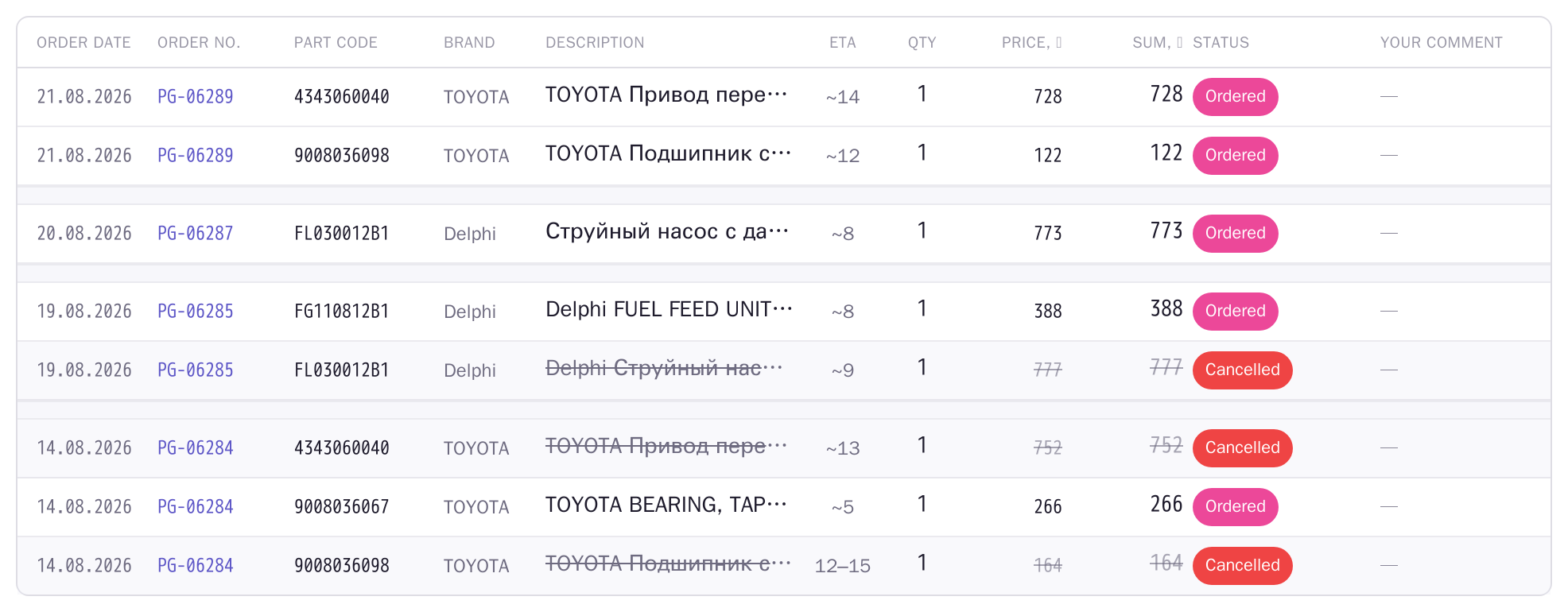
It is faster for hunting down a specific part: no need to open orders one by one trying to remember which one had that filter. You see the part code, brand, name, lead time, quantity, price, sum and status of every position.
The order number repeats on every row, with a gap between orders so the eye does not get lost. Cancelled positions are struck through.
The button remembers your choice: if you switched to the expanded view, that is what opens next time. “Collapse” brings back the compact list.
The order page is now a table
Positions used to run as a block of text, and it was unclear which number was the part price and which included delivery. Now one position is one row with columns.
The row total sits in its own highlighted column: price × quantity plus that position’s delivery. You see it at once, impossible to confuse.
Cancelled positions are struck through in grey and excluded from the order total — the summary below shows separately what is payable now and what was cancelled and already refunded to your balance.
Local delivery is no longer shown as zero: if nothing needs shipping, it simply says “local”.
On mobile
All three screens rearrange into cards — nothing is cut off and nothing scrolls sideways.